MagicRaiser
The AI creation studio for modern builders
Create anything from one prompt.
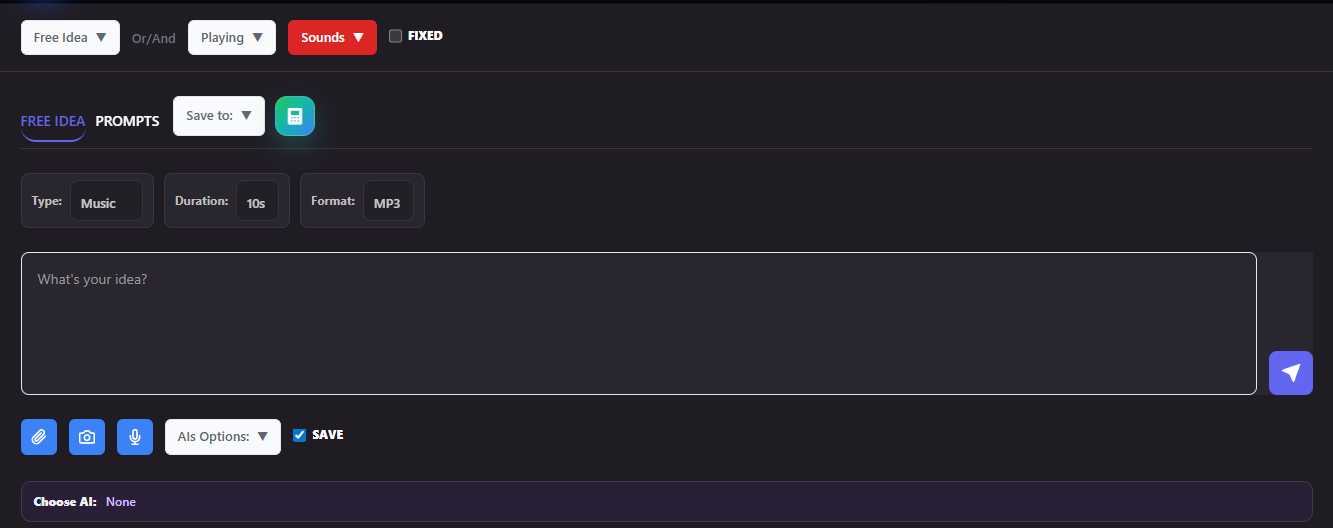
Generate videos, sounds, code, games, papers, images, and SuperChats with a single, responsive workspace built for speed.
Save time, save money, boost your work.

Supported workflows
Creation for every purpose, in one cohesive place.
MagicRaiser is designed to move from idea to output without switching tools. Build a cinematic clip, a soundtrack, a landing page helper, a game prototype, a research draft, a visual concept, or a SuperChat-style assistant in the same flow.
Video
Stories with motion
Create scenes, script beats, transitions, captions, and camera direction from one brief.
Sound
Music and audio beds
Build ambient loops, podcast intros, SFX, voice notes, and polished sonic identities.
Code
Ready-to-use snippets
Generate responsive HTML, app logic, UI components, and quick prototypes that actually help you ship.
SuperChats
ChatGPT-style assistants
Set a voice, a goal, and a tone, then create an assistant that answers like a polished brand agent.
Games
Playable mechanics
Concept loops, scoring ideas, character systems, and level outlines for fast experiments.
Papers
Structured writing
Draft outlines, sections, citations, summaries, and clear arguments with a professional tone.
Images
Art direction in seconds
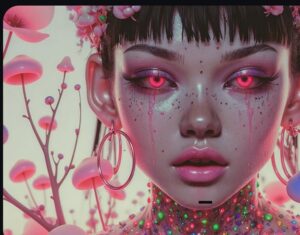
Go from moodboard to visual prompt, composition notes, palettes, and final image guidance.

Prompt
Don't waste prompts
Your time or your project can take even longer and become more expensive if any item or detail is missing from the prompt. With a simple subscription, you'll have access to the world's largest library of working prompts.
How it works
From prompt to polished result in three clean moves.
The flow is intentionally simple. You describe the goal, MagicRaiser shapes the right output, and you refine only what matters.
01
Describe the intent
Write a short brief, choose a mode, and set the tone. The studio keeps the prompt focused and actionable.
02
Shape the output
Generate a structure that fits the format: shot lists, code blocks, gameplay loops, citations, palettes, or replies.
03
Refine and publish
Tighten the result, reuse the same prompt pattern, and publish content that feels ready for real work.
Who it is for
Designed for creators, founders, teams, and fast experiments.
Whether you are building a product launch, a classroom tool, a content engine, or a playful assistant, the interface stays clear and responsive.
Solo makers
Move fast without a big stack
Validate ideas, draft assets, and produce polished content from the same page.
Teams
Stay aligned on one prompt language
Share a common workflow across marketing, product, and support without changing tools.
Agencies
Deliver more in less time
Draft multi-format campaigns that include video, images, copy, and interactive chat layers.
Educators
Turn lessons into engaging outputs
Create explainer videos, structured papers, and guided SuperChats for faster learning.
FAQ
Questions creators usually ask before they start.
A few quick answers about workflow, speed, and how MagicRaiser handles multiple output types from one interface.
Can one prompt create multiple formats? +
Yes. The goal of MagicRaiser is to help you shape the same idea for different outputs, such as video, sound, code, paper, image, or chat experiences.
Is it responsive on mobile? +
Yes. The layout stacks cleanly, keeps the reading order clear, and preserves the interactive studio experience on smaller screens.
What is the SuperChats feature? +
It is a ChatGPT-style assistant mode that can be shaped around a brand voice, support flow, or personality-driven conversational experience.
Does Studio Magicraiser work with all platforms? +
Yes. It works with all of them. Computer, Tablet and Mobile.
Can I do a lot with the basic plan? +
With the basic plan, you get at least 15 minutes of videos per month, over 900 state-of-the-art images, more than 45 minutes of sound (audio and music), countless texts, documents, and many enhanced tools, so you don't lose money, time, or your project.
Ready to build
Make MagicRaiser your home for every creative output.
Start with a prompt, choose a mode, and let the studio shape your next video, sound, code block, paper draft, image concept, game idea, or SuperChat flow.
Sample launch prompt

Supported Workflows

Define your project
Is your project a video, a game, a song, software, whatever are you looking for?

Focus on the Scene
Now you can explore our workflows in more depth and create with much more focus and creativity.

Improve your project.
Edit lines, text, videos, games; be prepared to take a giant leap into high complexity.